I have inattentive ADHD. I only realized the extent of my challenges after I left the strict time/place structure of a corporate office and was left to my own devices as a work-from-home freelancer. It didn’t take long after the transition to see that it wasn’t going well for me: Distraction, overwhelm, stress — I felt like I was running in place and getting nowhere.
I started therapy, studied mindfulness, streamlined my workflow, added workarounds to avoid distractions, and even started taking Saturdays off to rest (yes, I had been working without scheduled days off up until this past year)… I still ended every work day later than I hoped, feeling completely unproductive in spite of keeping track of multiple projects and hitting my deadlines.
A common symptom of ADHD is time blindness. To quote Psychology Today: “The term time blindness describes a persistent difficulty in managing time and perceiving how quickly it passes. People who struggle with time blindness may be frequently late, find it difficult to plan their day or meet deadlines, or become easily absorbed in time-wasting activities…without realizing how much time has passed.”
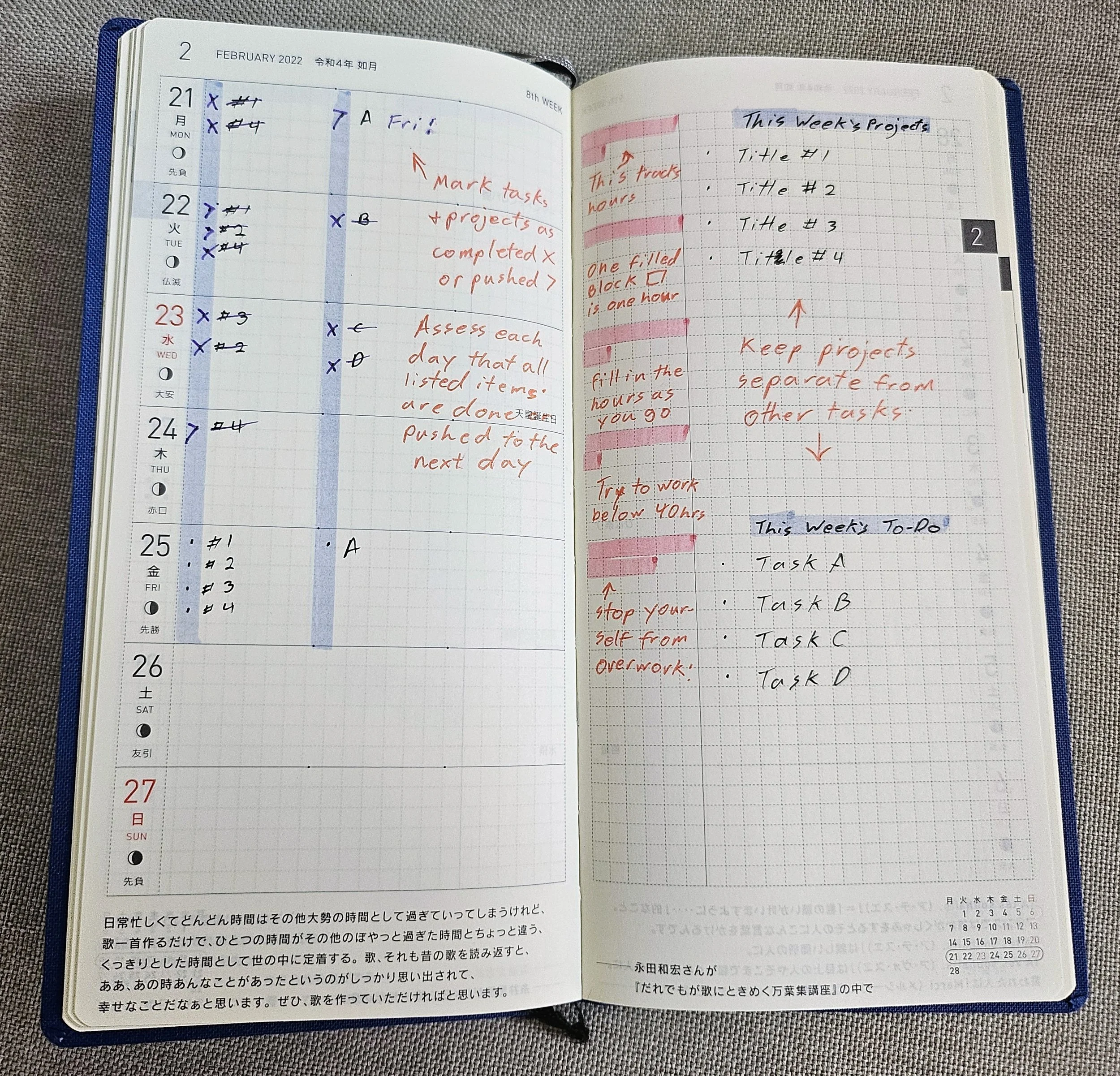
I still consistently use this weekly spread to see what projects are due on any given week. Please open the image in a separate window to see the details. (I gave up on using the pink blocks to track my work hours as it wasn’t enough.)
I started tackling my time blindness by recording everything in my Hobonichi Weeks planner: What titles I was working on this week, what I was working on every given day, and pink blocks to mark down how many hours I worked each day. However, I was still overworking myself, losing track of time, and feeling exhausted by the end of the day. My planner helped me see my workload for the week, but not with managing it.
What I soon realized from keeping track of my time: I’d call it a night when I completed tasks, not when I had worked a set amount of hours. I would tell myself to adhere to a standard 8-hour workday, but I’d get called away from my desk for a minute, or go out for lunch, or have a doctor’s appointment. I’d tell myself to work extra to make up for “lost time”, but I had no idea how much time I needed to make up, so I’d guess-timate it, vaguely set an hour to stop working and then forget what time it is while wrapped up in deadlines. As a result, I would exhaust myself and start the next day just as tired. Pushing myself through the exhaustion just made me slower and more anxious, which especially sucks when working in a creative field.
I still use my paper planner to track my weekly projects, but I needed to find a better way to track time down to the minute and hold myself accountable. I needed an objective signal to tell me “Stop. The daily work hours are complete. Leave your remaining work for tomorrow. Go rest!”
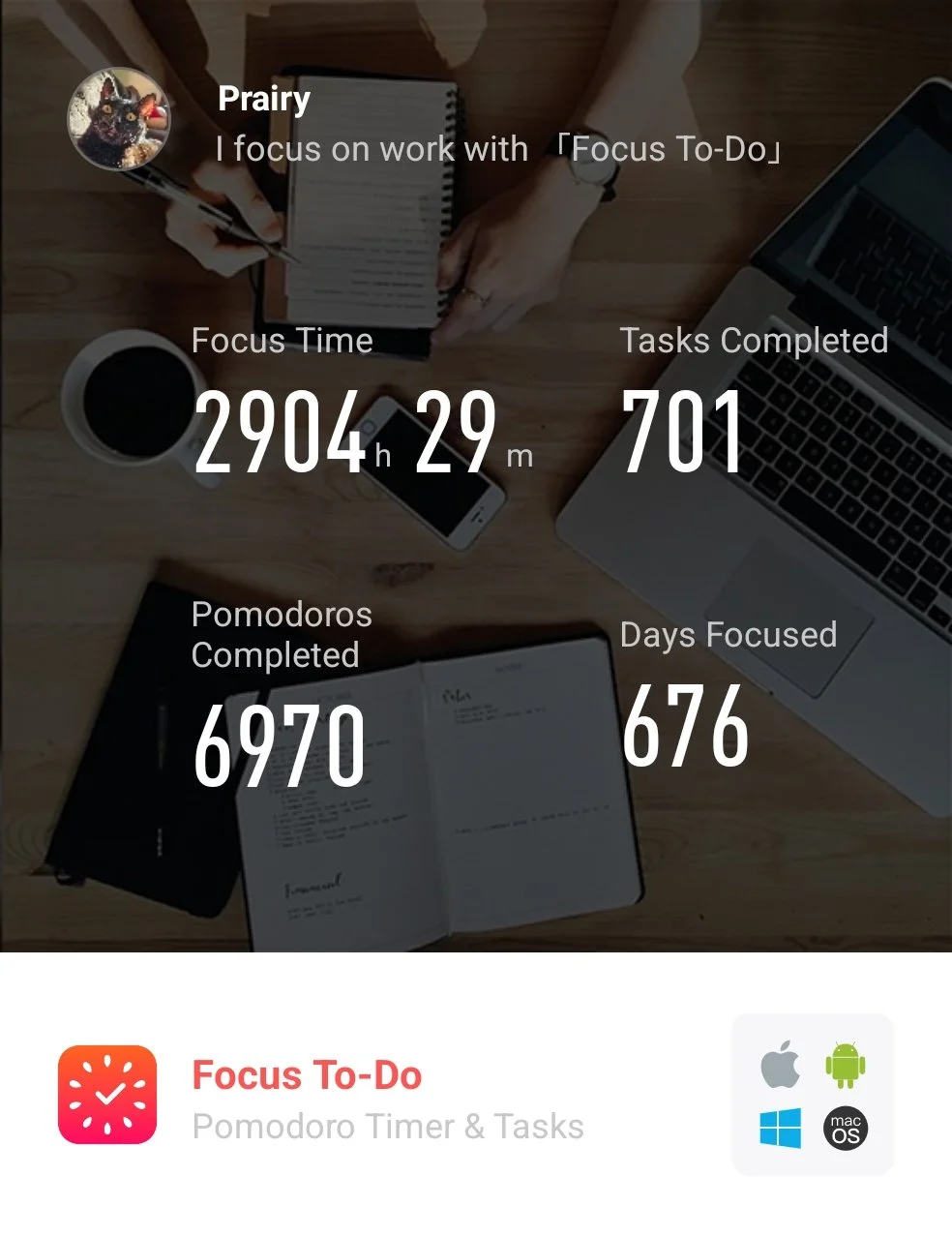
Geez, 676 days of use? As someone who can never manage to change up bad habits, it’s surprising how I’ve been able to keep up with this specific system.
I’ve been told many times before to try some form of interval focus to help pace myself out throughout my work day and hold myself accountable to a regular and reasonable amount of daily work hours. Easier said than done.
The most common practice for interval focus is the pomodoro method, so after trying several free apps, this is the one I eventually settled on: Focus To-Do
I’m not advertising it, nor recommending it — I’m just showing you how I use it to help inspire you to try a combo of pomodoro time-keeping and to-do list task prioritization however you need if you are in a similar predicament as me. Somehow, beyond all reason, this app works with my brain to help me stay focused.
First, please keep in mind how an 8 hour work-day is broken down on this app:
Twelve 25-minute focus timers
Nine 5-minute breaks in-between
Two 15-minute breaks after every four runs of the focus timer.
Resulting in 300 minutes (5 hours) of Focus and 75 minutes of Rest.
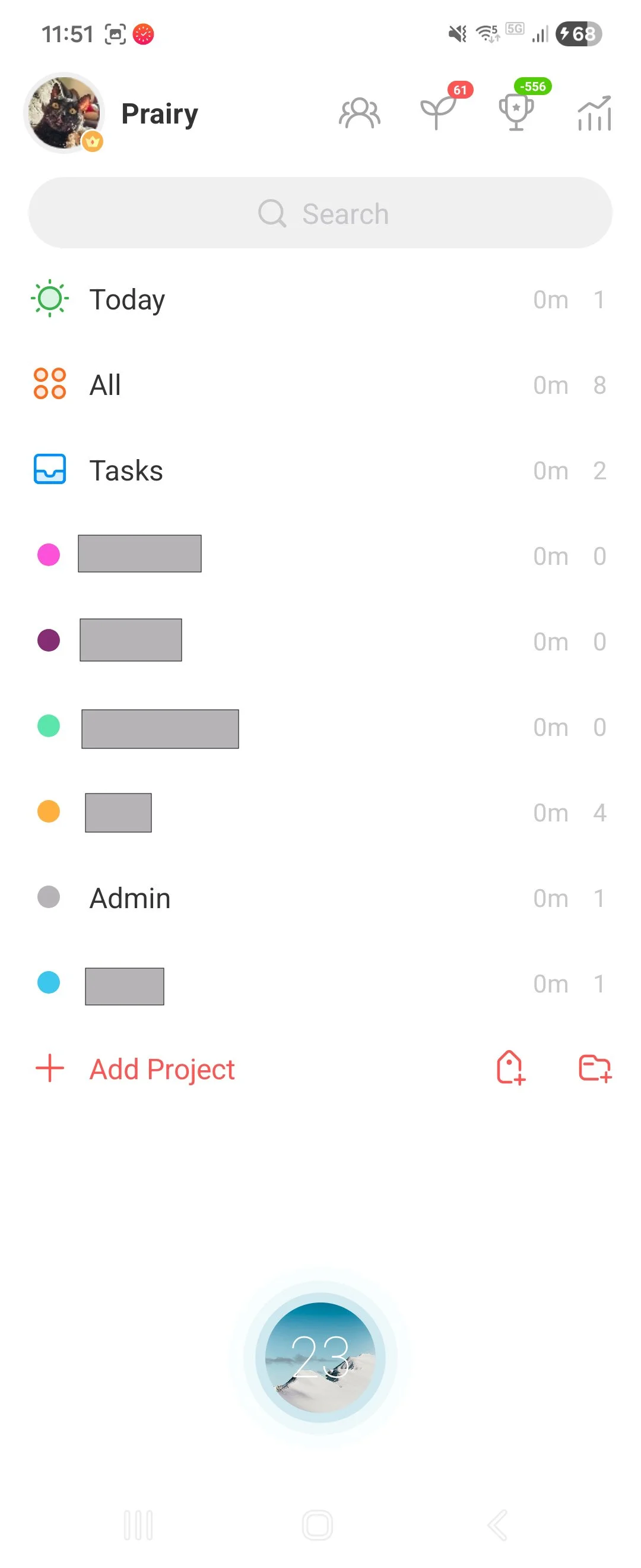
To show you how this particular to-do list/interval focus app works, I’ll start with the main page.
The screenshot on the right shows a list: each color dot marks a different subtask folder, each subtask is a different publisher (I’ve blocked out the names).
I separate out the publishers into different folders with a different color designation so that I can see how much time I am dedicating to each publisher on any given day or week.
I select a subtask folder to take me to a list comics projects that I am currently working on for that particular publisher.
The grey Admin is for non-project related work (I’ll get into that), but to walk to you through this, I’ll select the All subtask folder first.
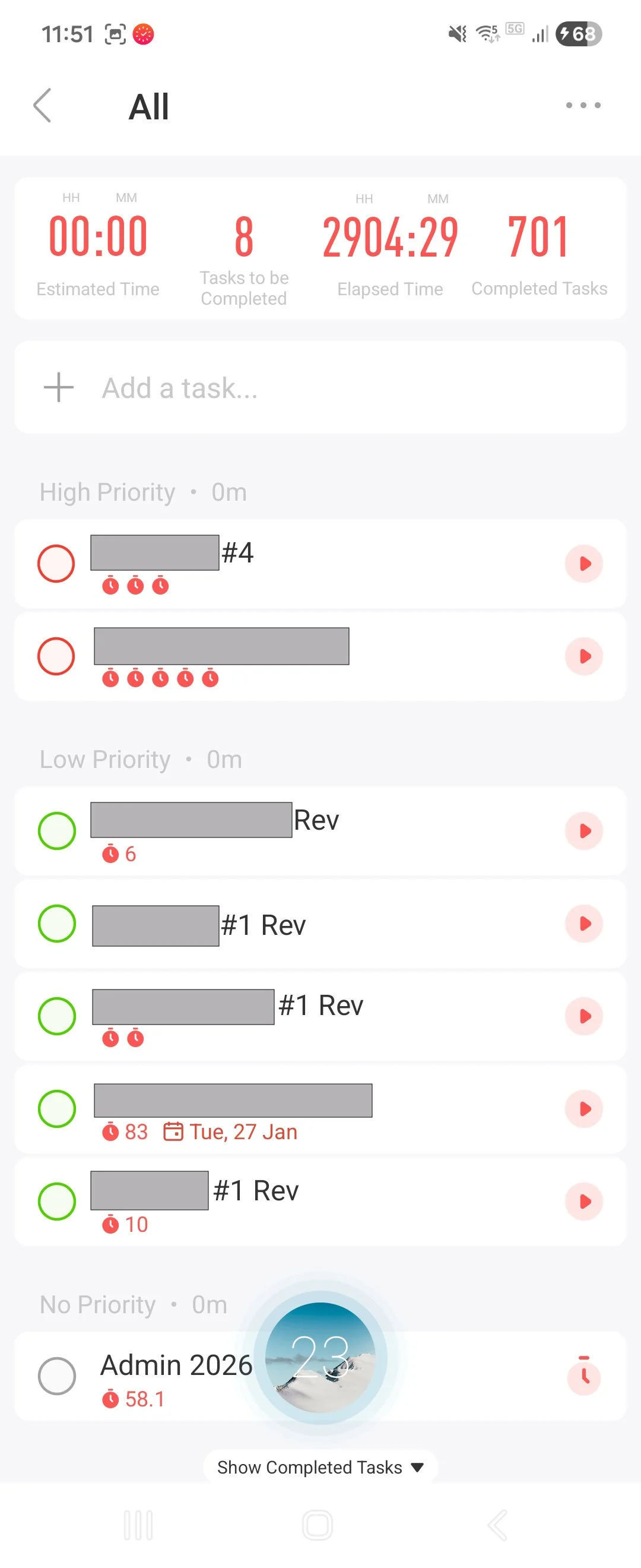
This is the All folder: a roundup of the projects I am currently working on.
I can flag each project as red, yellow, or green in terms of urgency and the projects will be prioritized on the To-Do list as such. I can also set due dates and additional details. This helps me see all of my tasks at a glance and change priority as needed.
Each little red timewatch under the task names indicates one 25-minute interval of focus, so 2 timewatches is roughly 45-minutes of focused work and so on.
Once a comic goes to print, I tap the circle to complete the task. It archives the task and removes it from the list.
When I complete the initial lettering for a book, I check off the task and create a new one with the same title and a “Rev” appended to it. This is for me to separate the lettering stage from the revisions stage of a comic book so that I can see which stage I’m at with any given project.
The timewatches and other info are retained when I archive the task, so I can always look back to see how much time a monthly book usually takes for me to do.
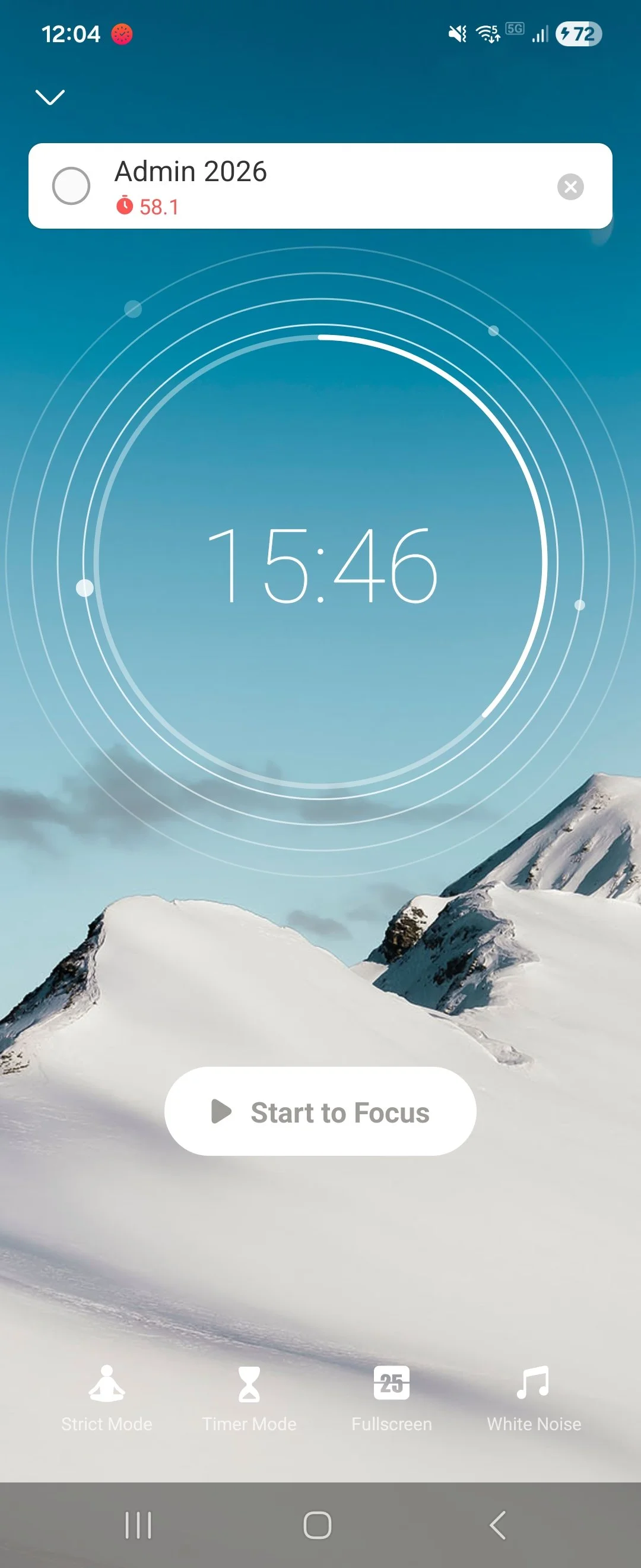
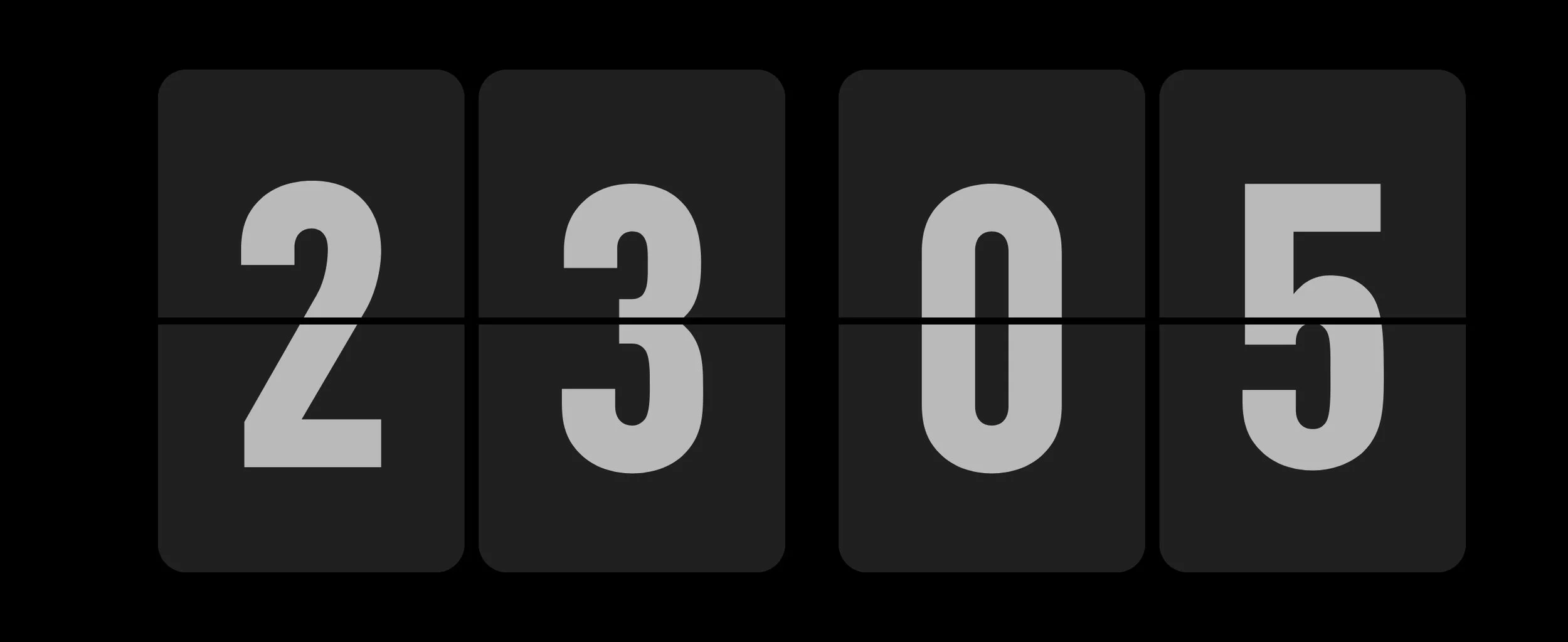
The full screen version of the timer is the image at the top of this blog.
Here’s an example of where I’ve selected a task from the list and started a 25-minute timer.
Only one task at a time, for a short time, with all of my focus. It was hard to get used to the idea at first, but I started to find this method rather soothing.
I get e-mails and urgent things that pop up throughout my day, derailing my progress on one task in favor of another. But by having this timer going, even if I am interrupted, I can remind myself that “I don’t need to shift gears until the timer runs down to zero. Whatever needs doing next can usually wait until this one interval is complete in the next ten or so minutes. Focus on this task right now.”
Once the focus timer runs to zero, I get a 5-minute break timer. Every four focus intervals leads to a 15-minute break. I usually start the break timer and then go get water, see if anything urgent cropped up in my e-mails, or check to see if I need to shift my focus to a different task or stick to the same one for my next focus interval.
Sometimes I get into a flow-state while lettering and just want to skip the break, but it is vital that I take these short breaks. My body and mind crashed hard when I tried skipping all of my breaks.
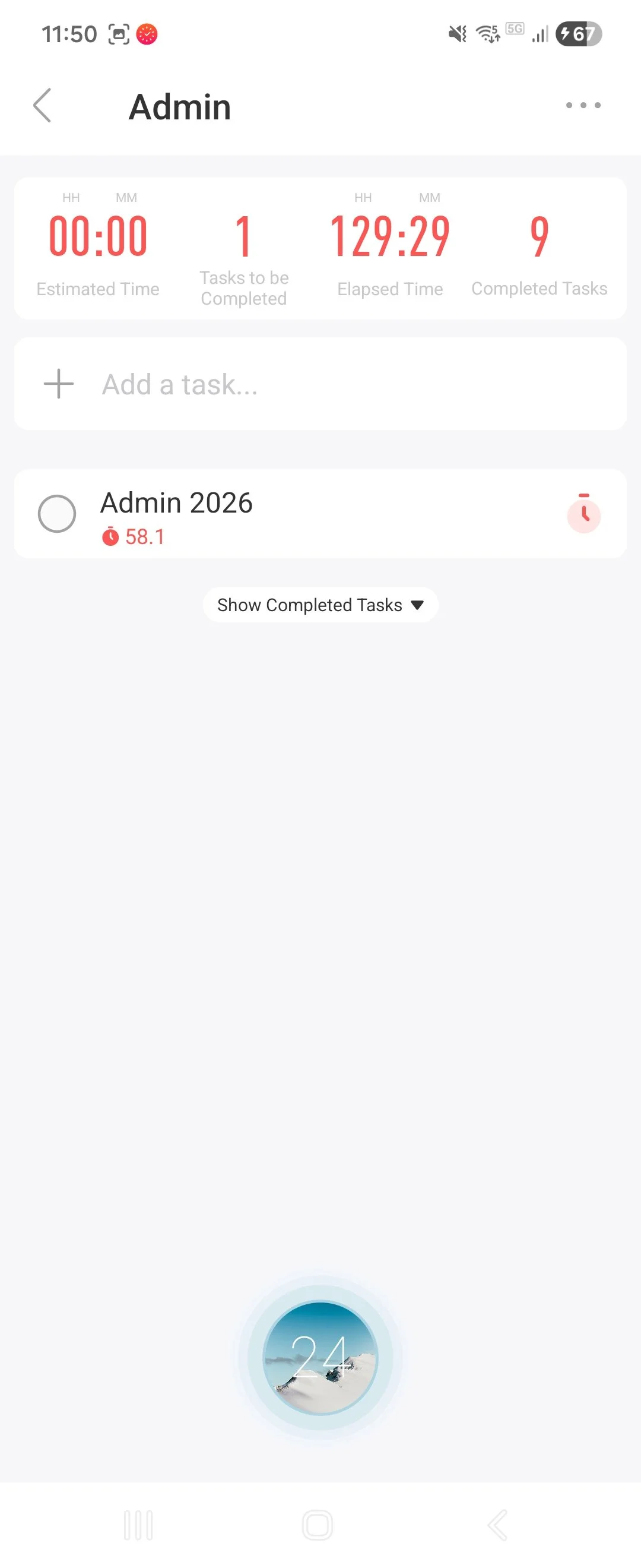
The Admin folder just has the “Admin 2026” subtask. I select it every time I need to do work that doesn’t count as a project as it is all still work.
After using this app for about a year, I realized that there was something that wasn’t working well for me.
I had improved a great deal by adapting to this timer system and keeping track of my tasks. However, there were times where I would need to do general work that I couldn’t categorize, or tasks that may take only a little time to do, or I wanted to start my day and couldn’t decide which high priority task to start.
So I made an Admin task. It’s a general one I created once I realized I never made time for myself to do the in-between work: Checking my e-mail, catching up on the work chat, responding to editors, reorganizing my files, prepping for the week ahead, etc. I needed a catch-all that still counted as work because, hey, all this little stuff is still work.
It turns out that having this general task is incredibly useful at giving myself breathing room. Many days, especially Monday mornings, I’d choose the “Admin” task as my first 25 minutes of the day to read through my e-mail and ease into things. By the time I hit my first 5 minute break, I’d have a clearer idea of how to prioritize my books for the day.
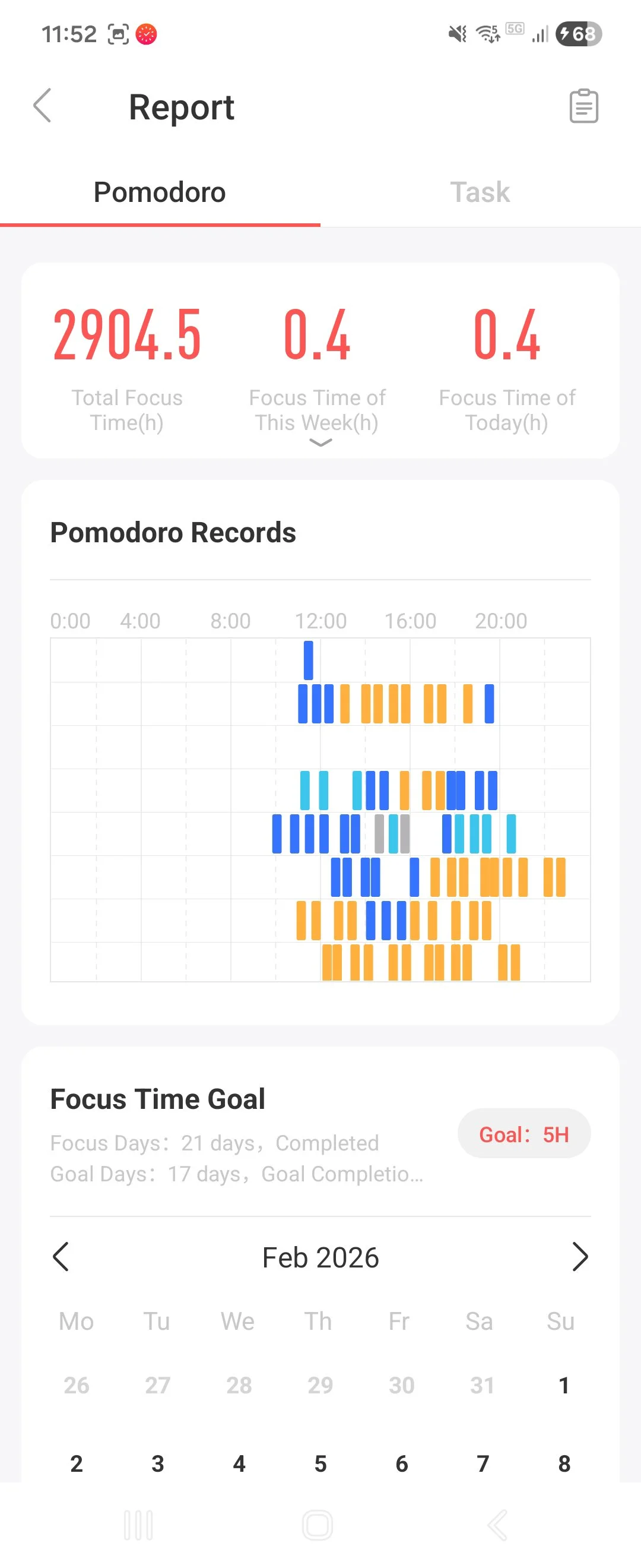
The Reports are a fantastic way to see my work hours in an objective light.
Reviewing the reports of my week, I’m often reminded of one thing I learned back when I had an office job: Even though employees are mandated to work 8-hour days, office managers usually count 4-6 hours as the actual amount of time employees use for work.
Frequent breaks are necessary for our brains to work. When I work an 8-hour day and use the pomodoro timer exactly as intended: I accomplish 5 hours (300 minutes) of focus and 75 minutes of rest.
I once managed to do 8 hours of focus in a day, but that resulted in me sitting at my desk for 16 hours, so I am never going to try that again.
So every day I remind myself to keep my limit of focus intervals to twelve per day as best I can.
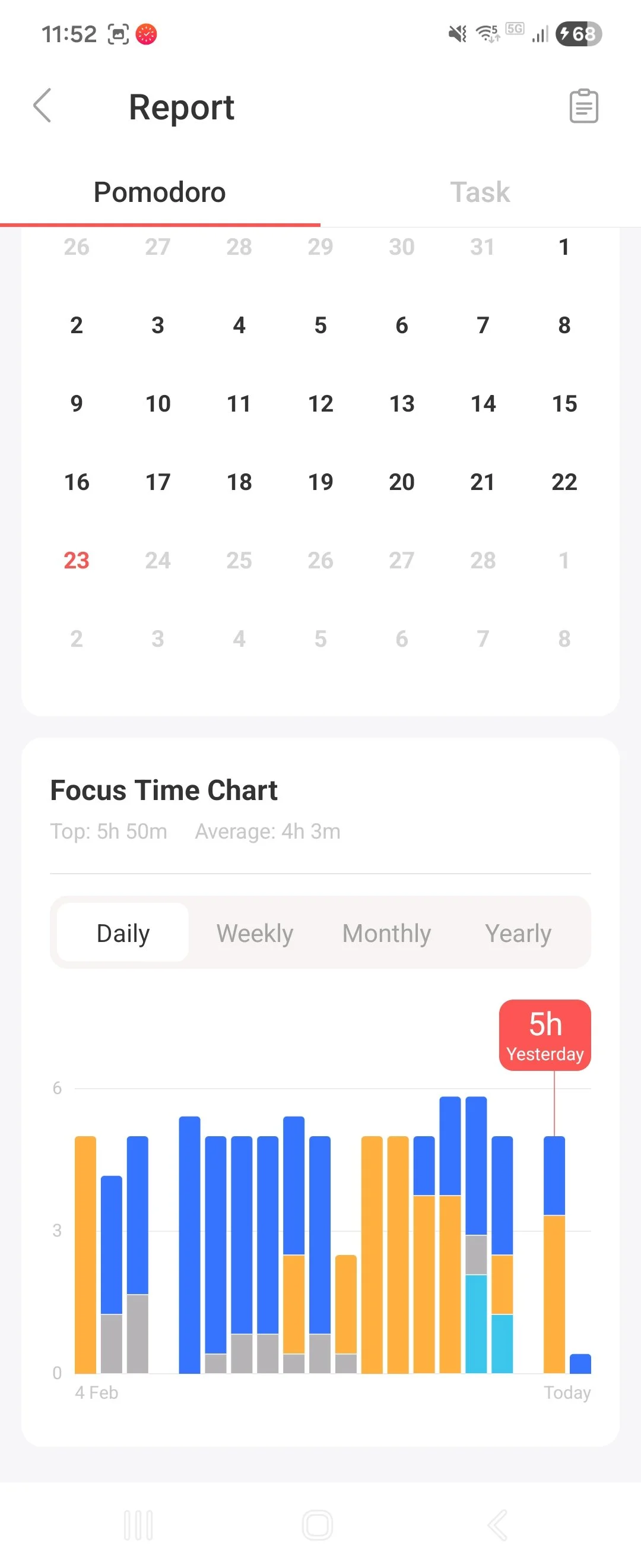
As you can see in the Records, some days are perfectly regulated, other days I’ve gone over my limit, and some even had long breaks (such as gym class or an appointment) followed by late nights to catch up. There’s even the occasional Saturday where I’ve worked a half-day—further pushing myself when I should rest.
It is not important that I do this perfectly. The important thing is that I give myself grace when I don’t.
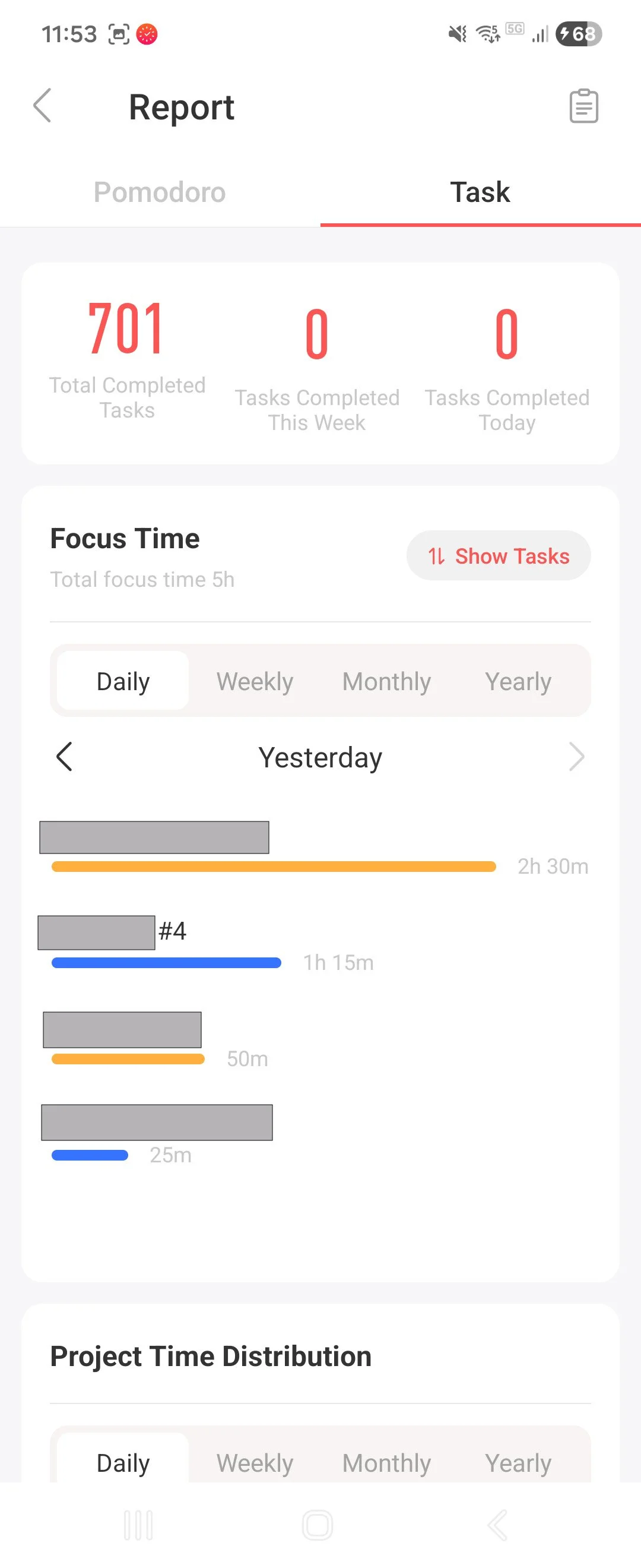
Below are two more screenshots of the Report section of the app. It gives me a good general overview of how much time I’ve spent working and how my day gets divvied out to focus on different books for various publishers. It helps me fight my time blindness and see the truth for what it is: I’m working hard. I’m doing my best.
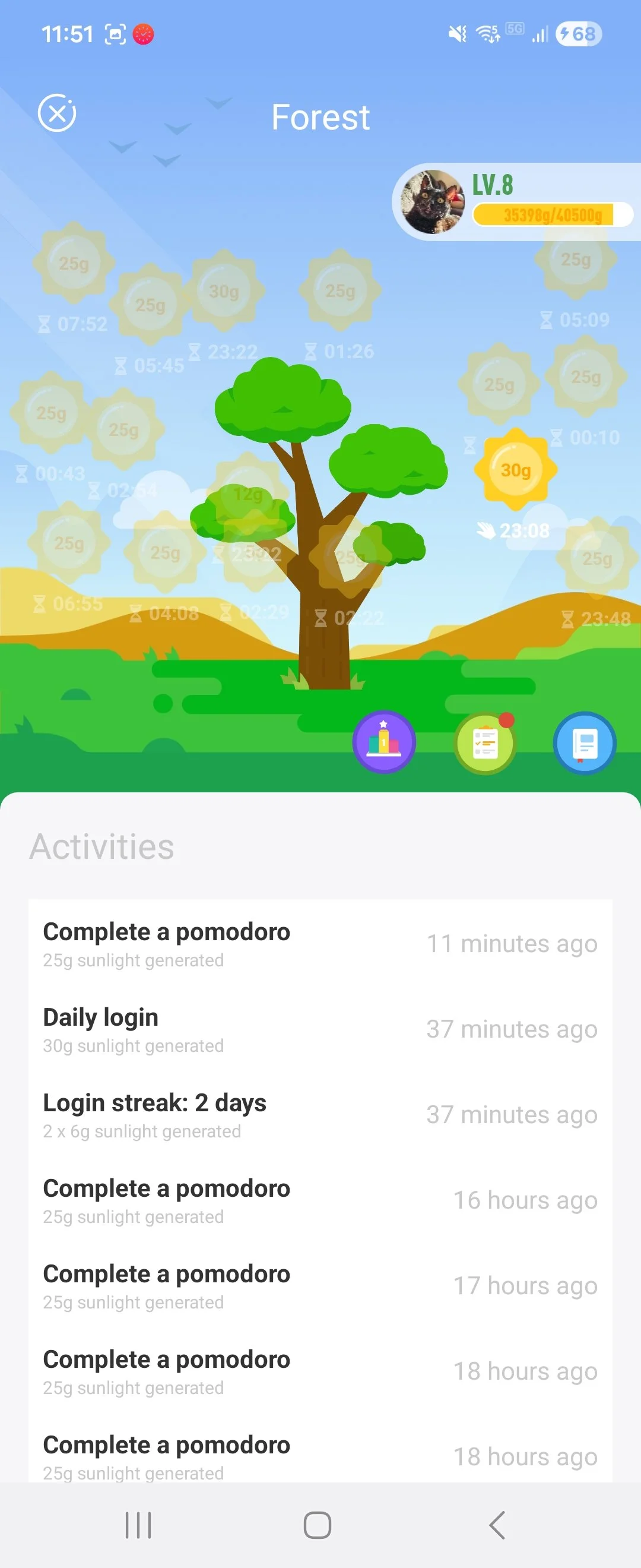
I’m starting to think it’s obligatory for productivity apps to include a little plant like this cute tree that grows as you continue using the app. It’s completely pointless, but I’m proud of it.
What have I learned from this process?
8 Hours of Pure Focus per Day is Impossible. Setting a goal of 5 hours of focus for an 8 hour work day has been the most sustainable way to avoid burning myself out.
Even when nothing is complete, I am still working. Even on days where I feel that I’ve done nothing productive, I can look at my app, see where I’ve allocated my time throughout the day and understand that, yes, I’ve done a lot. Chill out.
Flexibility over perfection. Some things don’t fit into neat boxes and time slots. Having a catch-all “Admin” category helped relieve the need for a perfect designation for every task.
I don’t need a gamified app, I just need a dynamic one. Cute tree aside, I just needed an app that I could adjust as I went about my day. If I took a lunch break, I’d still know how many remaining time blocks I needed out of 12 to call my day complete. It’s encouraging and simple.
Rest. I’m faster, more efficient, and more creative after regular and consistent rest. Regular breaks throughout the day and at least one day off per week has been wonderful for me.